Product Industries Pricing Contact Log in Start free trial
Verified attendance · built for the floor

Clock in. Clock out. Done right.

Every shift is verified with QR, location, PIN and a selfie — so you always know who's in, who's out and where they are. Cut timesheet disputes and run payroll faster.

Trusted across restaurants, clubs, warehouses & hotels
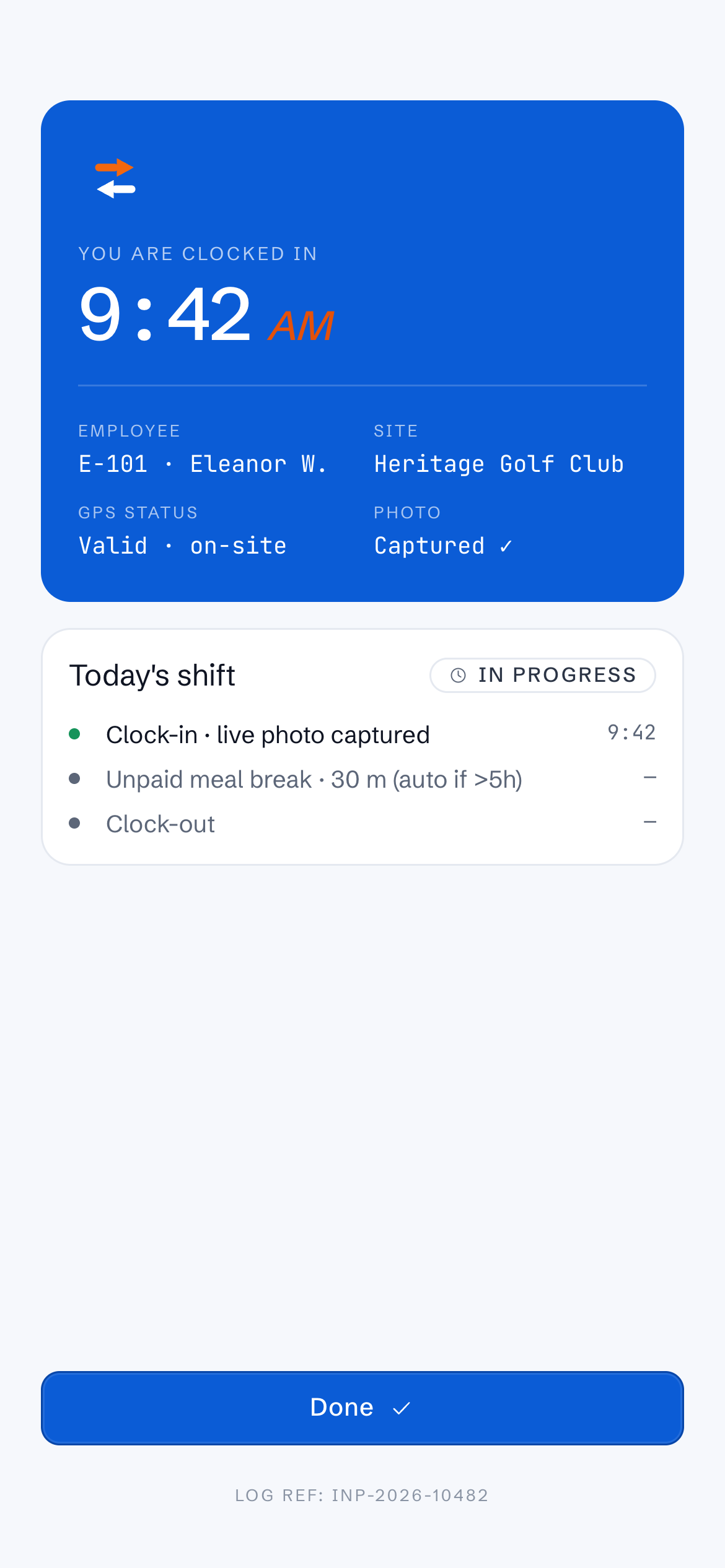
9:41InOutPro
You are clocked in
9:42AM
Employee
E-104 · Eleanor W.
Site
Yarra Valley
GPS
Valid · on-site
Status
● Live
QR ✓
PIN ✓
Selfie ✓
On shift now
12of 14 rostered
3 live9 valid

Operators who run on InOutPro

Four checks, one tap

A shift no one can dispute

Buddy-punching, "I forgot to clock out," timesheet arguments — gone. Each clock-in captures four signals in about ten seconds.

STEP 01

Scan the QR

A site-specific QR confirms which venue the shift belongs to — no shared logins, no wrong location.

STEP 02

Confirm location

GPS checks the device is inside the site's geofence and records the exact distance from the door.

STEP 03

Enter a PIN

A private 4-digit PIN ties the clock to the real person — even on a shared device at the door.

STEP 04

Take a selfie

A timestamped photo is attached to the record — visual proof that's there if a shift is ever queried.

Anything outside the rules — wrong location, odd time, missing photo — is flagged automatically for a manager to review.

Verified clock-in

Ten seconds at the door. Total certainty after.

Staff clock in from any phone or a shared tablet at the entrance. By the time they've put their apron on, you've got a verified, photo-backed, GPS-stamped record — not a scribble on a sheet.

  • Works on staff phones or a kiosk tablet at the entry
  • Records exact time, GPS distance and device used
  • Knows whether the next action is a clock-in or clock-out
01 · QR
Heritage · Yarra Valley
02 · GPS
Valid · 18m from site
03 · PIN
E-104 · Eleanor W.
04 · Selfie captured
09:42:07 · device verified
Submitted
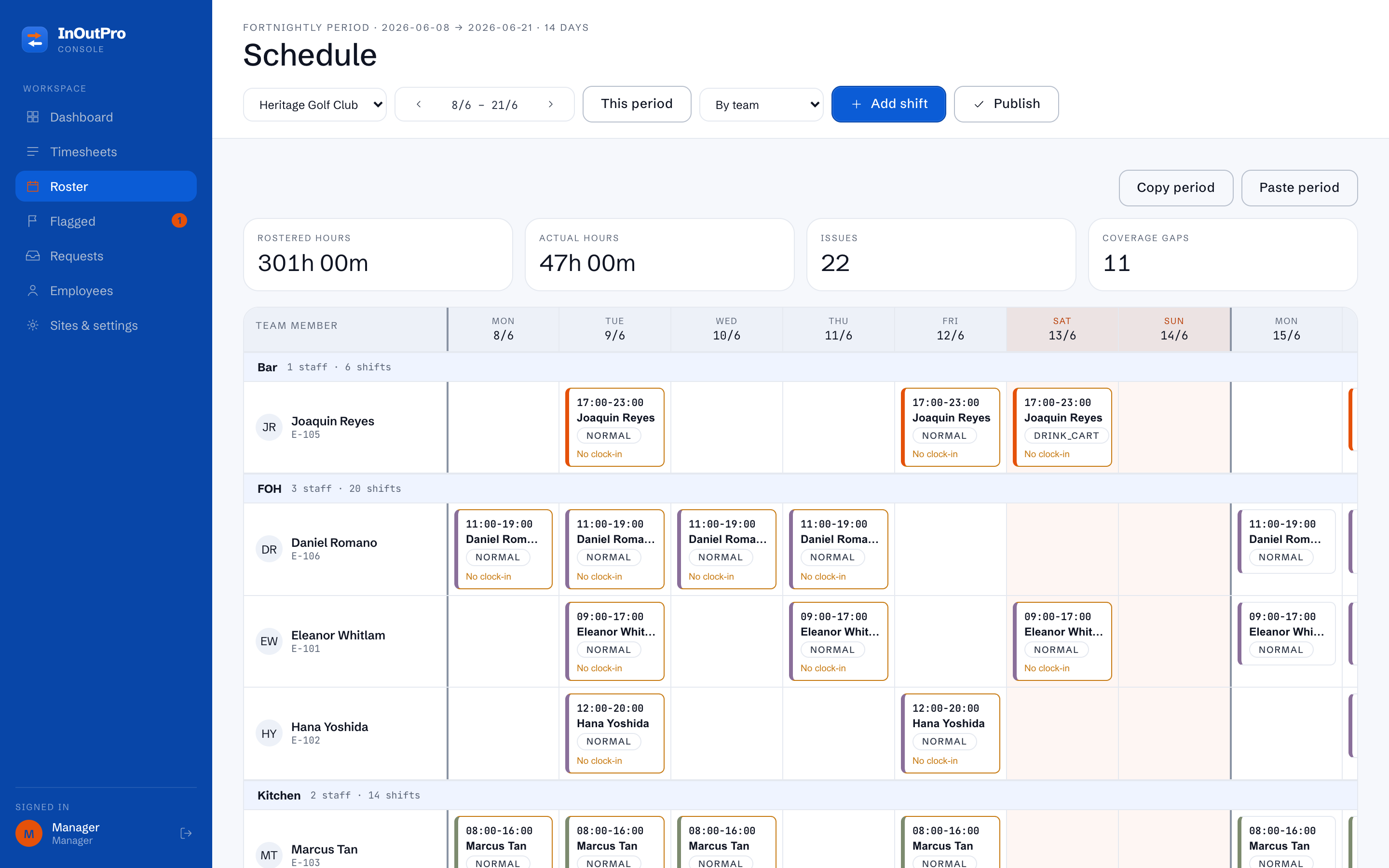
Rostering

Build the week, publish, done.

Drag shifts across departments, tag them, and publish to every phone at once. Staff see exactly when and where they're on — and the roster becomes the baseline every timesheet is measured against.

  • Shift tags for open, close, events & more
  • Publish & lock so numbers don't move under you
  • Open shifts staff can pick up, swaps they can request
Week roster · Front of House
Published
MONTUEWEDTHU
Eleanor 10–18
OPEN
10–18 16–CLS
EVENT
Marcus 12–20 12–20 12–20
Priya 09–17 OPEN
shift
09–17
Timesheets

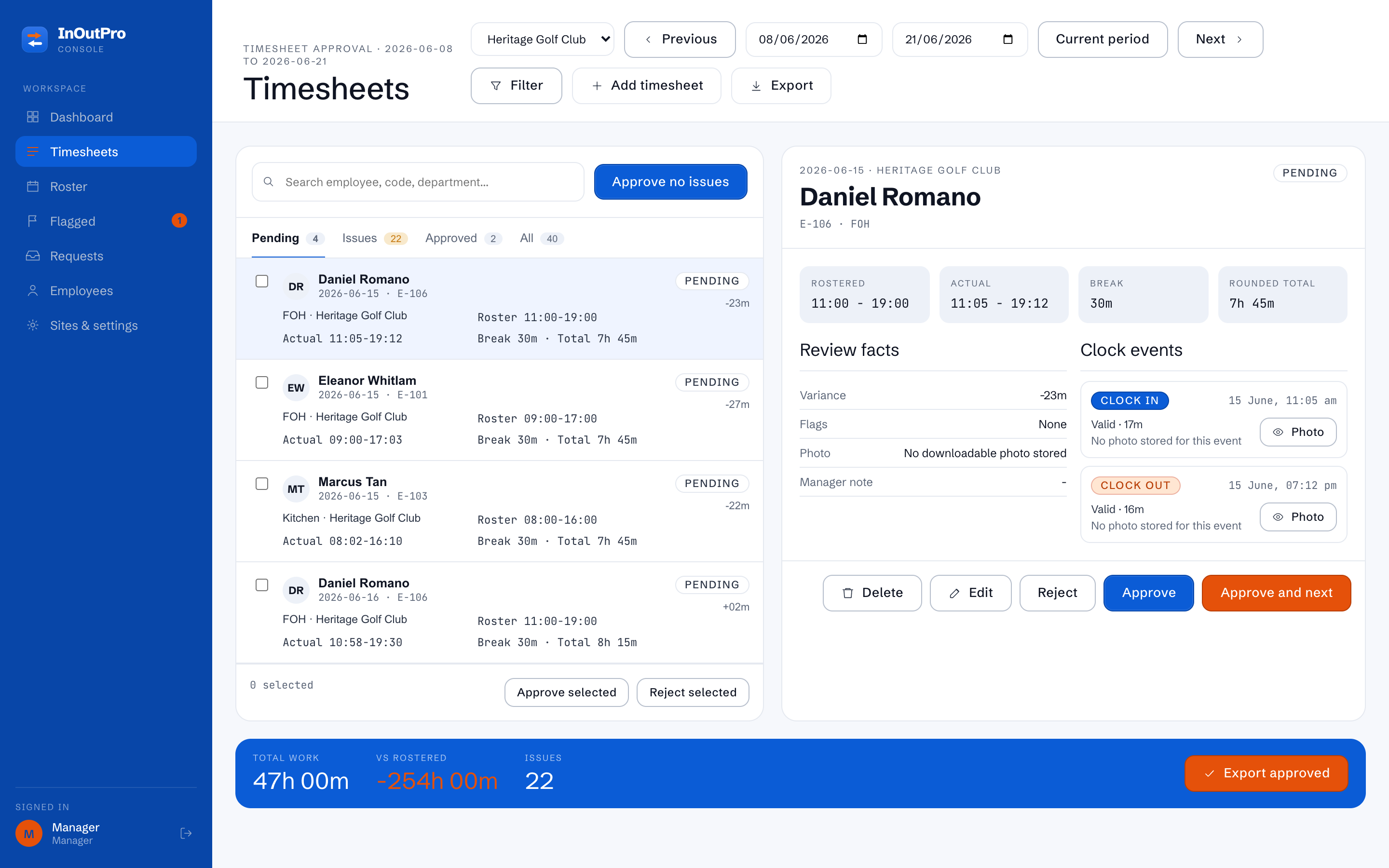
Timesheets that build themselves.

Every clock-in and clock-out rolls straight into a timesheet — gross hours, unpaid breaks, paid minutes and the variance against roster, calculated for you. Approve the clean rows in bulk and export to payroll.

  • Variance vs roster shown on every row
  • Adjust with a reason — every edit is audited
  • Approve valid rows in bulk, then export
Daily timesheet · 12 Jun
EmployeeClockPaidStatus
Eleanor W.09:42 — 17:317.3hValid
Marcus T.12:01 — 20:047.5hValid
Priya S.09:03 — No out
Dan R.10:58 — 19:308.0h+30 var
One screen, every site

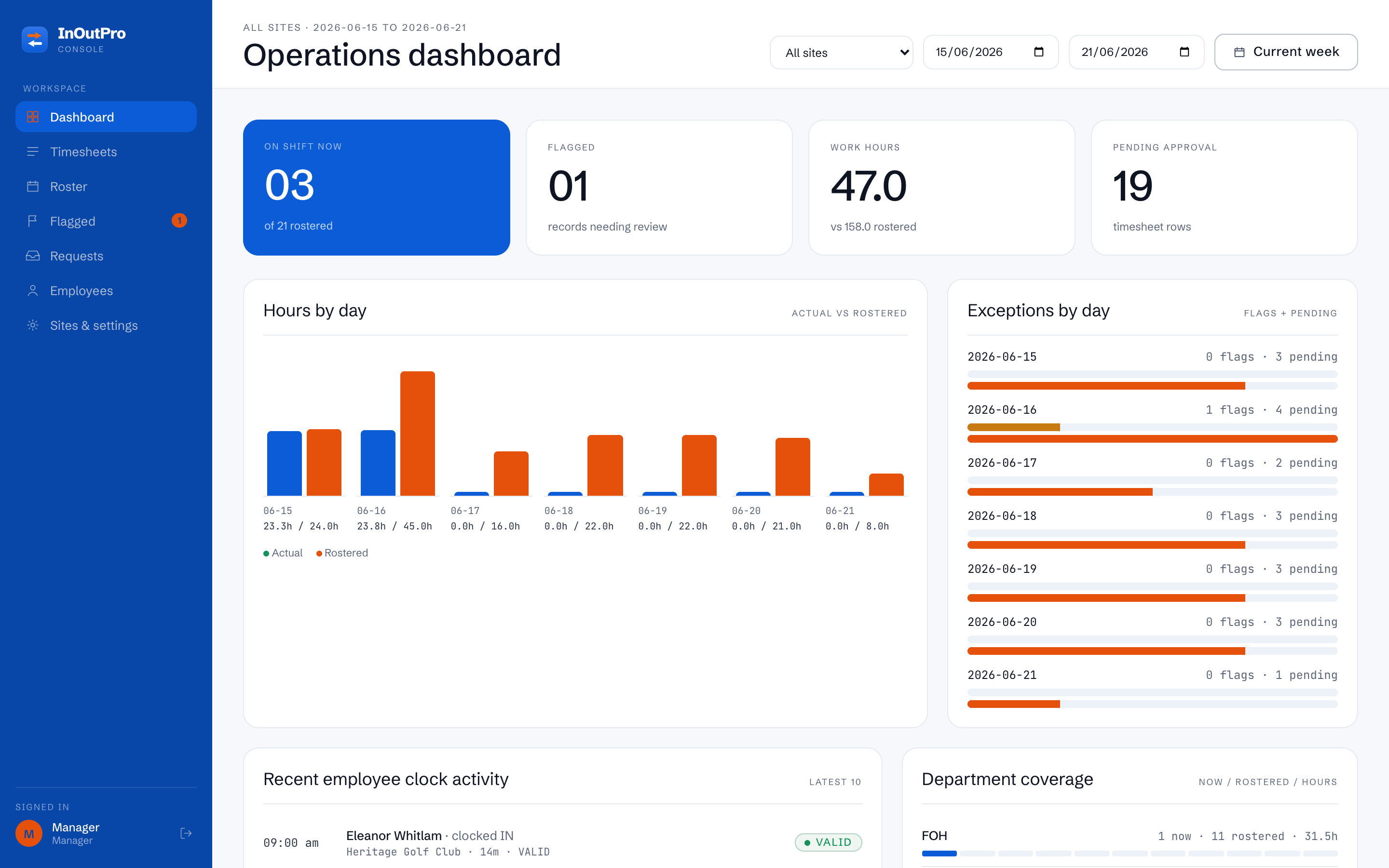
The whole operation at a glance

Who's on now, how hours track against roster, what's flagged and what's waiting on approval — across every venue you run.

InOutPro
All sites · this week
Operations dashboard
All sites ▾This week
On shift now
12
of 14 rostered
Flagged
03
need review
Work hours
86.4
vs 88.0 rostered
Pending approval
07
timesheet rows
Hours by day
Actual vs rostered
Actual Rostered
Live now
Eleanor W.Live
Marcus T.Live
Priya S.Flag
Everything in one place

More than a clock on the wall

InOutPro runs the whole attendance loop — from the roster you publish to the payroll you export.

Exception review

Outside-radius clocks, missing photos, no-shows and odd hours are sorted by severity so you fix the few that matter.

Leave requests

Annual, personal or unpaid — staff request from their phone, you approve or decline, and the roster reflects it.

Shift swaps

Staff offer shifts, teammates claim them, you give the final yes — every swap tracked end to end.

Multi-site & geofencing

Each venue gets its own QR, GPS radius, pay period and branding — managed from one account.

Roles & departments

Scope managers to a site or a single department, with permissions that fit how your business is actually run.

Full audit trail

Every adjustment, approval and override is logged with who, when and why — so payroll is always defensible.

Live this week

Up and running in an afternoon

1

Add your sites

Drop a pin for each venue, set the GPS radius and print the QR. Import your team or add them in a few clicks.

2

Staff clock in

They scan, confirm location, enter a PIN and snap a selfie. Verified records start flowing in immediately.

3

Approve & export

Review the handful of flags, approve the clean rows in bulk, and export a payroll-ready file for the period.

~10s
To complete a fully verified clock-in
4
Signals captured per shift — QR, GPS, PIN, selfie
1
Account for every site, role and pay period
100%
Of edits logged in a tamper-evident audit trail

Stop arguing about timesheets.

Start your free trial today. Add a site, print the QR and have verified shifts flowing in before the next service.